


What Is Onboarding Automation and Why Does It Matter Today?
Starting a new relationship with a client or bringing a new employee into a company should feel exciting. But for many businesses, onboarding begins with emails, forms, spreadsheets, reminders, account setup, document collection, and repeated follow ups. When these tasks are handled manually, the process can quickly become slow and difficult to manage.
This is where Onboarding automation can make a major difference. It connects the steps of onboarding and allows routine tasks to happen automatically based on specific actions or triggers. Instead of asking team members to remember every step, businesses can create a clear process that moves people from one stage to the next with less manual effort.
From client setup to employee preparation, automated onboarding can create a faster, more organized experience while giving teams more time to focus on work that needs human attention.
What Is Onboarding Automation?
Onboarding automation is the use of software, workflows, integrations, and automated actions to manage repetitive onboarding tasks. It helps businesses guide new clients, customers, employees, or users through a structured process without requiring someone to manually control every step.
For example, imagine a new client signs an agreement.
Instead of an employee manually sending a welcome email, creating a folder, updating the CRM, assigning tasks, scheduling a meeting, and sending reminders, an automated workflow can trigger these actions automatically.
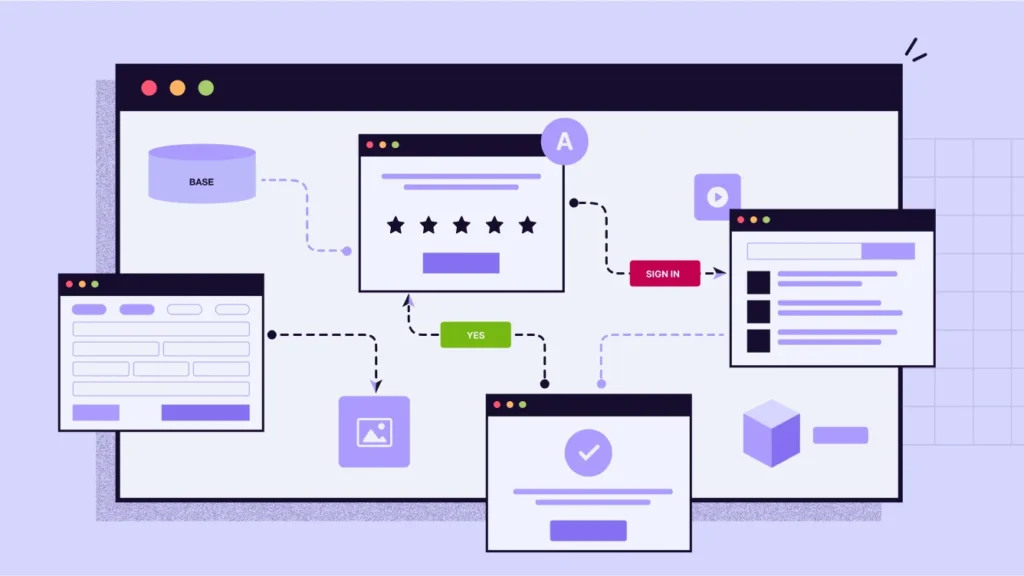
A simple process could look like this:
- A client signs the agreement.
- The CRM updates the client status.
- A welcome email is sent.
- An onboarding form is delivered.
- A project workspace is created.
- Internal tasks are assigned.
- A kickoff meeting is scheduled.
- Reminders are sent when information is missing.
- The client moves to the next onboarding stage.
The exact workflow depends on the business, but the main goal remains the same: make onboarding more consistent, faster, and easier to manage.
Why Does Onboarding Matter So Much?
Onboarding is often the first real experience someone has after becoming a client, customer, or employee.
A strong onboarding experience creates confidence. People know what happens next, what they need to provide, who they should contact, and when they can expect progress.
A poor experience creates the opposite reaction.
People may receive unclear instructions, wait too long for responses, submit the same information more than once, or wonder whether their account has actually been set up.
These small problems can affect trust.
For businesses, onboarding also has an operational cost. Every manual email, task assignment, reminder, data entry step, and internal handoff takes time. When the number of new clients or employees increases, those small tasks can turn into hundreds of hours of work.
Automation helps businesses build a repeatable process that can handle more activity without creating the same increase in manual work.
How Does Onboarding Automation Work?
An automated onboarding system usually works through triggers, actions, conditions, and integrations.
A trigger starts the workflow.
For example:
- A contract is signed
- A new employee is added
- A payment is received
- A form is submitted
- A new account is created
- A customer reaches a specific stage
An action tells the system what to do next.
This could include:
- Sending an email
- Creating a task
- Updating a CRM record
- Creating a folder
- Sending an SMS
- Assigning an employee
- Booking a meeting
- Updating a status
- Sending a reminder
A condition allows the workflow to respond differently depending on what happens.
For example, if a new client completes an onboarding form, the workflow can move forward. If the form is not completed after three days, the system can send a reminder.
This creates a connected onboarding workflow instead of a collection of separate manual tasks.
Key Benefits of Onboarding Automation
1. Saves Valuable Team Time
One of the biggest benefits is the reduction of repetitive work.
Employees should not have to spend large parts of their day copying information between systems, sending the same welcome messages, checking forms, or remembering routine follow ups.
When these activities are automated, teams can spend more time on client service, strategy, problem solving, and other valuable work.
The time saved becomes even more important as a business grows.
2. Creates a More Consistent Experience
Manual processes can change depending on who handles them.
One team member may send five emails. Another may send three. Someone may remember to schedule a kickoff call, while another person may forget.
Automation creates a standard process.
Every new person can receive the same important information and move through the same core steps. This does not mean every interaction needs to feel robotic. Businesses can still personalize messages while automating the repetitive work behind them.
3. Reduces Missed Tasks
Human teams are busy. Important tasks can sometimes be forgotten, especially when employees are managing many clients or projects at the same time.
An automated workflow does not depend on someone remembering to complete every routine action.
If a client submits a form, the next step can happen automatically. If a document is missing, a reminder can be triggered. If an employee reaches a certain onboarding stage, the next training task can be assigned.
This helps reduce gaps between steps.
4. Improves Response Times
People do not want to wait several days for a simple confirmation or next step.
Automation can send immediate responses when a trigger occurs.
For example, after a client completes an onboarding form, the system can instantly confirm receipt and explain what happens next.
Fast communication makes the process feel more organized and professional.
5. Makes Growth Easier
A manual onboarding process may work when a company has five new clients each month.
The same process may become a problem when the company has fifty.
Instead of constantly adding more people to handle repetitive tasks, businesses can use automation to increase operational capacity.
This makes onboarding more scalable and helps teams manage higher volumes without creating unnecessary administrative work.
Client Onboarding Automation vs Employee Onboarding Automation
Onboarding is not limited to one type of relationship.
Businesses commonly use automation for both clients and employees, but the workflows are different.
Client Onboarding Automation
Client Onboarding Automation focuses on moving a new client from signed agreement to active service.
Common tasks include:
- Sending welcome messages
- Collecting client information
- Requesting documents
- Creating project spaces
- Setting up accounts
- Assigning internal tasks
- Scheduling kickoff meetings
- Sending reminders
- Updating CRM records
- Tracking onboarding progress
The goal is to help the client get started quickly while reducing the amount of manual coordination required from the team.
For agencies, SaaS businesses, consultants, and professional service companies, this can be especially useful because every new client may require several setup steps.
Employee Onboarding Automation
Employee Onboarding Automation focuses on helping new employees become prepared and productive.
It can include:
- Sending welcome information
- Collecting employee documents
- Creating accounts
- Assigning training
- Sharing company policies
- Scheduling meetings
- Notifying managers
- Creating HR tasks
- Sending reminders
- Tracking onboarding progress
The goal is not to remove the human side of employee onboarding. Instead, automation handles routine administration so managers and HR teams can spend more time helping new employees feel supported.
What Is Onboarding Workflow Automation?
Onboarding Workflow Automation connects individual onboarding tasks into one organized process.
Without a workflow, a business may have many separate tools and manual steps.
For example, a new client may sign a contract in one system, complete a form in another, communicate through email, schedule a meeting through a calendar, and receive project information through another platform.
Someone on the team may need to connect all these steps manually.
An automated workflow can connect these systems.
When one event happens, it can trigger the next action. This creates a smoother flow of information between tools and team members.
The real value is not simply automating one task. It is connecting the entire process.
What Tasks Should Businesses Automate?
Not every part of onboarding needs to be automated.
The best candidates are tasks that are repetitive, predictable, time consuming, and based on clear rules.
Good examples include:
- Welcome emails
- Form requests
- Data entry
- Task creation
- Internal notifications
- Calendar scheduling
- Document reminders
- Account setup
- CRM updates
- Status changes
- Follow up messages
Tasks that require judgment, complex conversations, or personal relationship building should usually remain under human control.
The strongest approach is often a combination of automation and human involvement.
Let automation handle predictable execution while your team focuses on decisions and relationships.
How AI Can Improve Automated Onboarding
Traditional automation follows predefined rules.
AI can add another layer of intelligence.
For example, an AI powered system may help identify information from documents, summarize client responses, answer common questions, route requests, or determine when a human needs to step in.
This can make onboarding more flexible.
Instead of simply saying, “If this happens, do that,” an intelligent system can help interpret information and take the appropriate next step within defined boundaries.
This is especially useful for businesses with complex onboarding processes where every new client does not follow exactly the same path.
Common Problems With Manual Onboarding
Before automating onboarding, it helps to understand the problems automation is meant to solve.
Too Many Manual Emails
Teams often send the same messages repeatedly. This takes time and increases the chance of inconsistent communication.
Repeated Data Entry
Information may need to be copied from one system into another. This creates unnecessary work and can lead to errors.
Missed Follow Ups
If someone forgets to follow up, the client or employee may remain stuck at one stage.
Poor Internal Handoffs
Sales may close the deal, but the onboarding team may not receive all the information they need.
Lack of Visibility
Managers may struggle to see which clients or employees are waiting, completed, delayed, or missing information.
Automation can address these problems by connecting the steps and making progress easier to track.
How to Build an Effective Automated Onboarding Process
Creating automation should start with the process, not the software.
First, map the current onboarding journey.
Write down every step from the beginning to the end. Identify who owns each task, which tools are used, and where delays usually happen.
Next, identify repetitive tasks.
Look for actions that happen in almost every onboarding case. These are often the best opportunities for automation.
Then, define your triggers.
Decide what event should start each part of the workflow.
After that, connect the necessary systems.
Your CRM, email platform, calendar, forms, project management tools, communication platforms, and other systems should work together where appropriate.
Finally, test the workflow before fully launching it.
A small mistake in an automated process can affect many records at once, so testing and monitoring are important.
Signs Your Business Needs Onboarding Automation
Your business may be ready for automation if:
- Your team repeats the same onboarding tasks every week
- New clients often wait for setup
- Employees receive inconsistent onboarding information
- Important follow ups are sometimes missed
- Teams copy data between several systems
- Managers lack visibility into onboarding progress
- Onboarding becomes harder as the business grows
- Staff spend too much time on administrative work
If several of these problems sound familiar, the issue may not be your team.
The process itself may need to be redesigned.
What Does a Better Onboarding Process Look Like?
A better process should feel simple to the person being onboarded.
They should know what to do, what information is required, what happens next, and who can help if something goes wrong.
Behind the scenes, the business should have a connected system that tracks progress and moves routine tasks forward automatically.
For example:
Signed agreement → Welcome message → Information collected → Account setup → Internal tasks → Kickoff meeting → Follow ups → Onboarding complete
This structure gives the team a clear path while allowing automation to handle many routine actions.
The result is not simply a faster process.
It is a more reliable process.
How to Measure Onboarding Automation Success
Automation should be measured by business results, not simply by how many tasks were automated.
Useful metrics include:
Time to Complete Onboarding
How long does it take to move someone from the starting point to full activation?
Manual Hours Saved
How much employee time is no longer spent on repetitive onboarding work?
Completion Rate
How many people complete the required onboarding steps?
Response Time
How quickly does the business respond after a new client or employee enters the process?
Error Rate
How often are tasks missed or information entered incorrectly?
Time to Value
For clients and customers, how quickly do they begin receiving meaningful value?
Tracking these numbers helps businesses understand whether automation is actually improving operations.
The Future of Onboarding Is More Connected
As businesses adopt more AI tools and software, disconnected processes can become a bigger problem.
Adding another tool does not automatically improve operations.
The systems need to communicate.
That is why modern onboarding is moving toward connected workflows where CRM records, communication, forms, calendars, documents, payments, and internal tasks can work together.
AI can also make these workflows more flexible by helping teams handle information, communication, and routine decisions within defined processes.
The goal is simple: create an onboarding experience that works smoothly without requiring someone to manually push every step forward.
Is Onboarding Automation Worth It?
For businesses with frequent or complex onboarding, the answer can be yes.
The value comes from more than saving a few minutes on individual tasks. A well designed system can reduce repetitive work, improve consistency, speed up communication, reduce missed steps, and create more capacity for growth.
However, automation should not be added simply because it is available.
The first question should be: Where is onboarding creating unnecessary cost, delay, or friction?
Once that problem is clear, automation can be designed around it.
That approach is often more effective than buying a tool and trying to force the existing process into it.
Conclusion
Onboarding automation is becoming an important part of modern business operations because companies need to do more without creating more manual work. By connecting repetitive tasks, communication, data, and internal actions, businesses can create onboarding experiences that are faster, clearer, and more consistent.
Whether the goal is improving client onboarding, supporting new employees, or building a connected workflow, automation can remove many of the small tasks that slow teams down. The key is to automate the right parts of the process while keeping human involvement where it adds real value.
If your onboarding process still depends on spreadsheets, repeated emails, manual reminders, and constant follow ups, it may be time to rethink how the work gets done. Visit Autoloopers to see how AI powered automation can help turn repetitive business processes into connected, more efficient workflows.
FAQs
What is onboarding automation?
Onboarding automation uses software and workflows to complete repetitive onboarding tasks automatically. It can manage communication, forms, account setup, reminders, task assignments, and system updates.
What can be automated during client onboarding?
Businesses can automate welcome emails, information collection, document requests, CRM updates, account setup, scheduling, reminders, internal task assignments, and status updates.
Can employee onboarding be automated?
Yes. Employee onboarding can include automated document collection, account setup, training assignments, reminders, notifications, and other administrative tasks.
Is onboarding automation suitable for small businesses?
Yes. Small businesses can benefit from automation because it reduces repetitive work and creates a more consistent process without requiring a large operations team.
Does automation remove the human side of onboarding?
No. The goal is usually to automate routine tasks while allowing people to focus on communication, support, problem solving, and relationship building.