


What Does the Automated Onboarding Snapshot Include?
See exactly what a GHL onboarding snapshot includes: welcome sequences, pipelines, forms, and workflows that get new clients live in minutes, not days.
If you run a GoHighLevel agency, you already know the real cost of onboarding isn’t the contract or the kickoff call. It’s everything that happens after: chasing logins, rebuilding the same pipeline for the tenth time, forgetting to send the welcome email, and losing two days every time a new client signs because someone has to set up their sub-account by hand.
This is exactly what an automated onboarding snapshot is built to fix. Instead of recreating pipelines, forms, and sequences from scratch for every client, you import one pre-built system into GoHighLevel and it’s ready to run. In this guide, we’ll break down exactly what’s inside a proper onboarding snapshot, how it compares to building one yourself, and how to get one running inside your account without spending a week on setup.
What Is an Automated Onboarding Snapshot?
A snapshot in GoHighLevel is a bundle of assets, pipelines, workflows, funnels, forms, and calendars, packaged into one file you can import into any sub-account. An automated onboarding snapshot is a snapshot built specifically for the first 30 to 90 days of a client relationship: the stage where most agencies lose time, drop tasks, and frustrate new clients before the work even starts.
Think of it as the operating system for onboarding. Once it’s imported, every new client moves through the same structured process automatically, instead of depending on whoever on your team remembers to do what.
Why Agencies Are Switching to a Pre-Built Onboarding Snapshot
Manual onboarding doesn’t scale. Every hour your team spends manually moving a client through setup is an hour they’re not spending on delivery or sales. We’ve broken down exactly how much time this costs agencies in our guide on how to automate the client onboarding process, but the short version is this: agencies using a structured, automated system cut onboarding time by 80 to 95 percent compared to manual setup.
A pre-built onboarding snapshot solves three problems at once:
- It removes the dependency on one person’s memory or habits
- It gives every client the same consistent, professional first impression
- It frees your team to focus on strategy and delivery instead of admin work
What Does the Automated Onboarding Snapshot Include?
This is the part most people actually want to know. Here’s what a complete, properly built onboarding snapshot should contain.
1. Onboarding Pipeline With Stage Tracking
At the core of every snapshot is a pipeline that shows exactly where each client sits in the onboarding process: contract signed, intake form completed, accounts connected, kickoff scheduled, fully onboarded. This gives your team a single view of every client’s status instead of digging through emails to find out who’s stuck and where. If you want to go deeper on how pipelines prevent dropped clients, our breakdown on GoHighLevel pipelines covers it in detail.
2. Automated Welcome Sequence
The moment a deal closes, the snapshot triggers an automated welcome sequence: a series of emails and SMS messages that introduce the client to what happens next, set expectations, and reduce the “what now?” anxiety that causes new clients to go quiet in the first week. We cover how to structure these sequences properly in our guide on AI-only client onboarding sequences.
3. Plug-and-Play Onboarding Forms and Funnel
Instead of building intake forms for every new client, the snapshot includes a ready-made onboarding funnel snapshot: forms for business details, brand assets, login credentials, and goals, all connected to your pipeline so submissions automatically move the client to the next stage. This is the same logic we walk through in our guide on building automated onboarding funnels in GoHighLevel.
4. Workflow Automation for Task Assignment
Every stage of onboarding triggers internal tasks automatically: a task for your ops person to connect ad accounts, a task for your dev team to set up integrations, a reminder if a step is overdue. This is where the automated onboarding workflow does the heavy lifting, and it’s covered step by step in our guide on setting up onboarding automation.
5. Sub-Account Onboarding Snapshot Setup
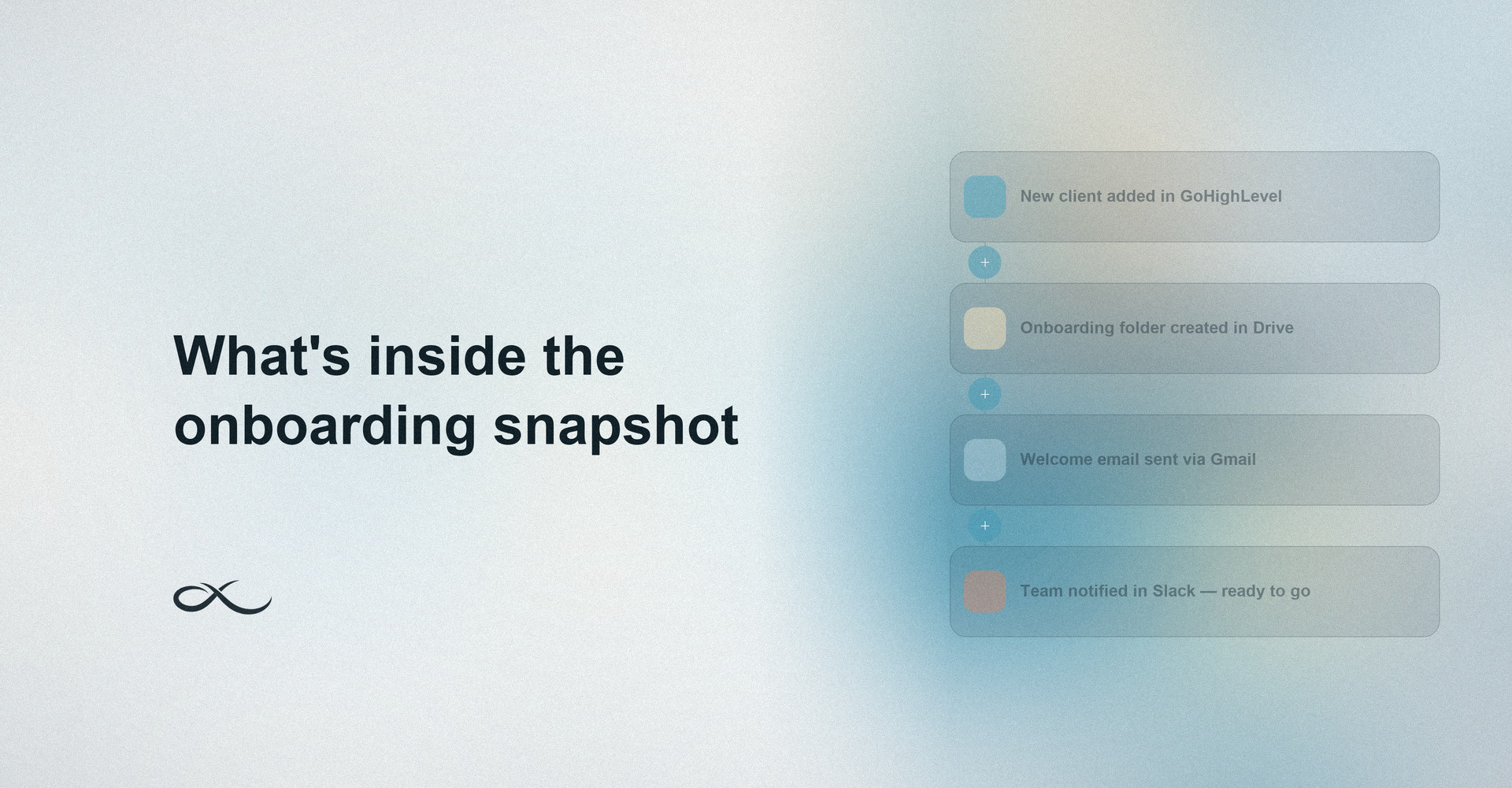
For agencies managing multiple client sub-accounts, the snapshot includes pre-configured automations that connect each new sub-account onboarding snapshot to Google Drive, Gmail, Calendar, and Slack so file sharing, scheduling, and team notifications happen without manual setup. We go into the full integration process in this guide on connecting GHL onboarding to Drive, Gmail, Calendar, and Slack.
6. Contract, Payment, and Document Automation
Once a client signs, the snapshot can automatically trigger invoicing, send onboarding documents, and log signed contracts to the client’s record, removing the manual back and forth of chasing paperwork before work can start.
7. Internal Notifications and Team Alerts
Your team gets notified the moment a client completes (or misses) a step. No more checking five tabs to figure out if onboarding is on track. This ties directly into the kind of GoHighLevel workflow automation that keeps your entire sales and delivery process moving without manual check-ins.
8. Reporting Dashboard
A simple dashboard view shows how many clients are mid-onboarding, how long each one is taking, and where bottlenecks keep showing up, so you can fix the process instead of just reacting to it client by client.
How to Import This Snapshot Into GHL
Getting a ready-to-use GHL snapshot running in your account is simple:
- Open your GoHighLevel agency dashboard and go to the Snapshots section
- Select import snapshot GHL and upload or paste the snapshot share link
- Choose the sub-account (or sub-account template) you want it applied to
- Map your existing custom fields if you already have an onboarding process running
- Test the pipeline and sequence with a dummy contact before going live
Most agencies have it fully running within an hour, compared to the days it usually takes to build the same system from a blank account.
Done-For-You Onboarding vs Building It Yourself
You have two paths here. You can spend a week (sometimes longer) building your own GHL automation template from scratch, testing every trigger and fixing every broken automation along the way. Or you can start from a system that’s already been built, tested, and refined across real client accounts.
At AutoLoopers, this is the exact kind of system we build for agencies every day. If you’d rather skip the trial and error, we built exactly this. Our done-for-you GHL onboarding system gives you a fully automated onboarding setup branded to your agency, plus an AI assistant that handles common client questions during setup so your team isn’t stuck answering the same five questions on every onboarding call.
Who Should Use a GoHighLevel Snapshot Template Like This
This isn’t just for agencies. Any business onboarding clients or new hires regularly benefits from a structured GoHighLevel snapshot template:
- Marketing and GHL agencies onboarding new clients weekly
- Coaches and consultants managing cohort-based onboarding
- Real estate teams onboarding new agents or buyers
- Healthcare and home service businesses with repeatable intake steps
- Agencies that also want to grow using GoHighLevel’s built-in features without adding headcount
If you’re also dealing with internal hiring and training, it’s worth pairing this with a proper employee onboarding system so both your clients and your team move through structured, automated processes.
Want to Learn How These Systems Are Actually Built?
If you’re more interested in learning how to build automations like this yourself rather than just buying one, we train people on exactly this. Our internship runs six weeks, covers GoHighLevel and n8n from the ground up, and puts you on real client projects with our team. Top performers get hired. If that sounds useful, you can apply for the internship directly, no experience required.
Conclusion
An automated onboarding snapshot isn’t a nice-to-have anymore, it’s the difference between an agency that scales smoothly and one that burns out its team rebuilding the same setup every time a client signs. Whether you build your own onboarding automation template or import one that’s already proven, the goal is the same: every client gets a consistent, professional start, and your team stops doing repetitive setup work by hand.
Still not sure which setup fits your agency? Contact our team and we’ll walk through your current onboarding process together before you build or buy anything.
FAQs
What exactly is included in an automated onboarding snapshot?
A complete snapshot typically includes an onboarding pipeline, welcome sequence, intake forms, internal task automation, sub-account integrations, and a reporting dashboard, all pre-built and ready to import.
Is a GHL onboarding snapshot the same as a regular sub-account?
No. A sub-account is the client’s workspace inside GoHighLevel. A snapshot is the pre-built system you import into that sub-account to automate the onboarding process.
Can I customize a pre-built onboarding snapshot after importing it?
Yes. Once imported, you can edit pipeline stages, rewrite sequence copy, and adjust workflows to match your agency’s branding and process without rebuilding anything from scratch.
How long does it take to set up an automated onboarding workflow using a snapshot?
Importing and testing a snapshot usually takes under an hour, compared to several days when building the same pipelines, forms, and sequences manually.
Do I need GoHighLevel experience before I import a snapshot?
Basic familiarity helps, but most snapshots are built to be plug-and-play. If you want hands-on guidance, our team can walk you through setup as part of the done-for-you onboarding build.